
X-Y Plot Region - Extends SMath Studio with a X-Y Plot Region. - 消息


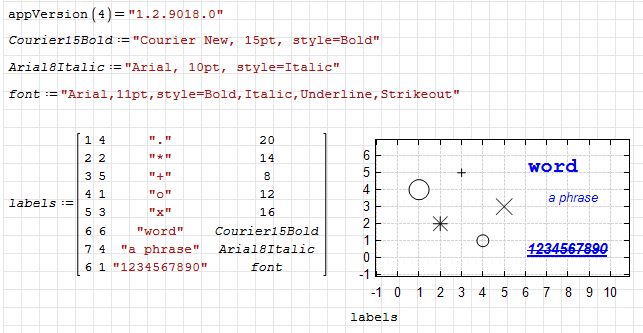
Plugin updated. This string representation is standard for c# Font type.
Changes:
- added font setting for text labels.
xyplot-text-lablels-font-example.sm (6.45 KiB)已下载 2017 次。


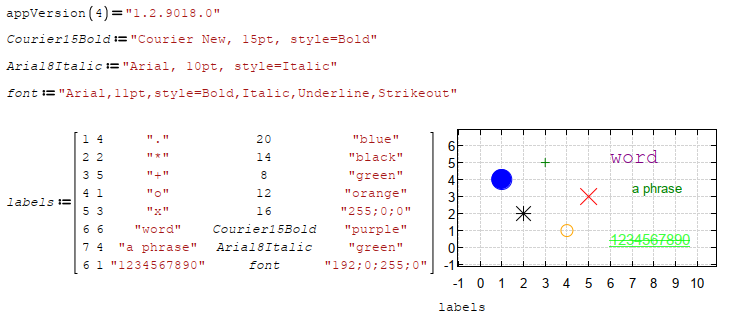
Would it be possible to add the font color ?
My best wishes to succeed , best regards
Franco
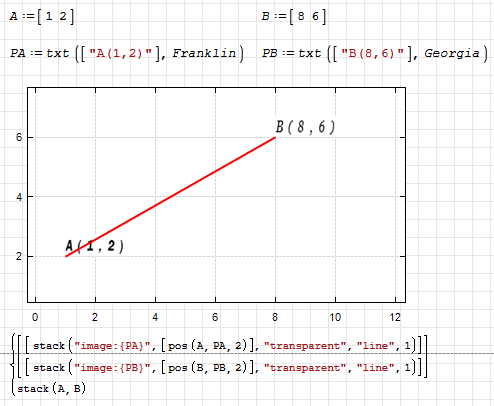
XYPlot - Scalable monospaced bitmapped fonts.pdf (419.21 KiB)已下载 1076 次。
XYPlot - Scalable monospaced bitmapped fonts.sm (3.07 MiB)已下载 1865 次。
Best regards.
Alvaro.
WroteWhat does he mean?
Something like that I suppose.
WroteWroteWhat does he mean?
Something like that I suppose.
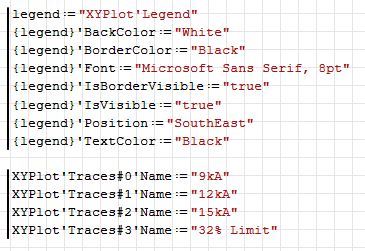
Somehow I don't manage to produce the traces settings in a loop.
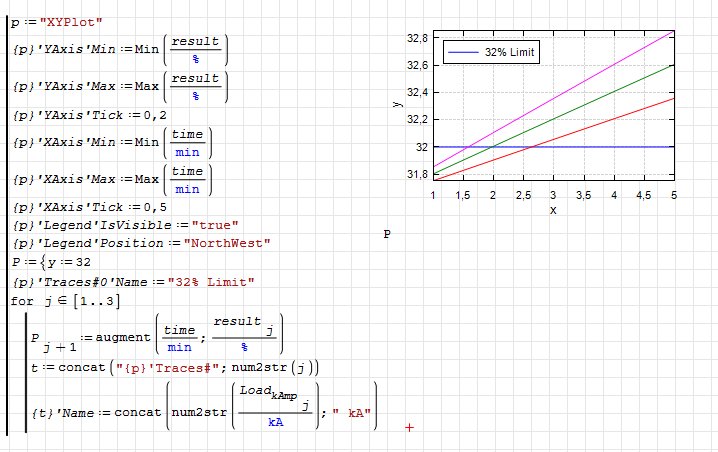
NaOH_Demiwater_VECTOR_Kr.sm (197.3 KiB)已下载 1720 次。
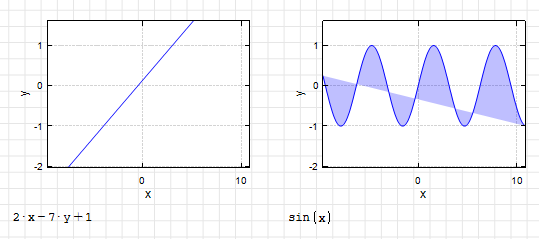
filling question.sm (5.05 KiB)已下载 1742 次。
Best regards.
Alvaro.

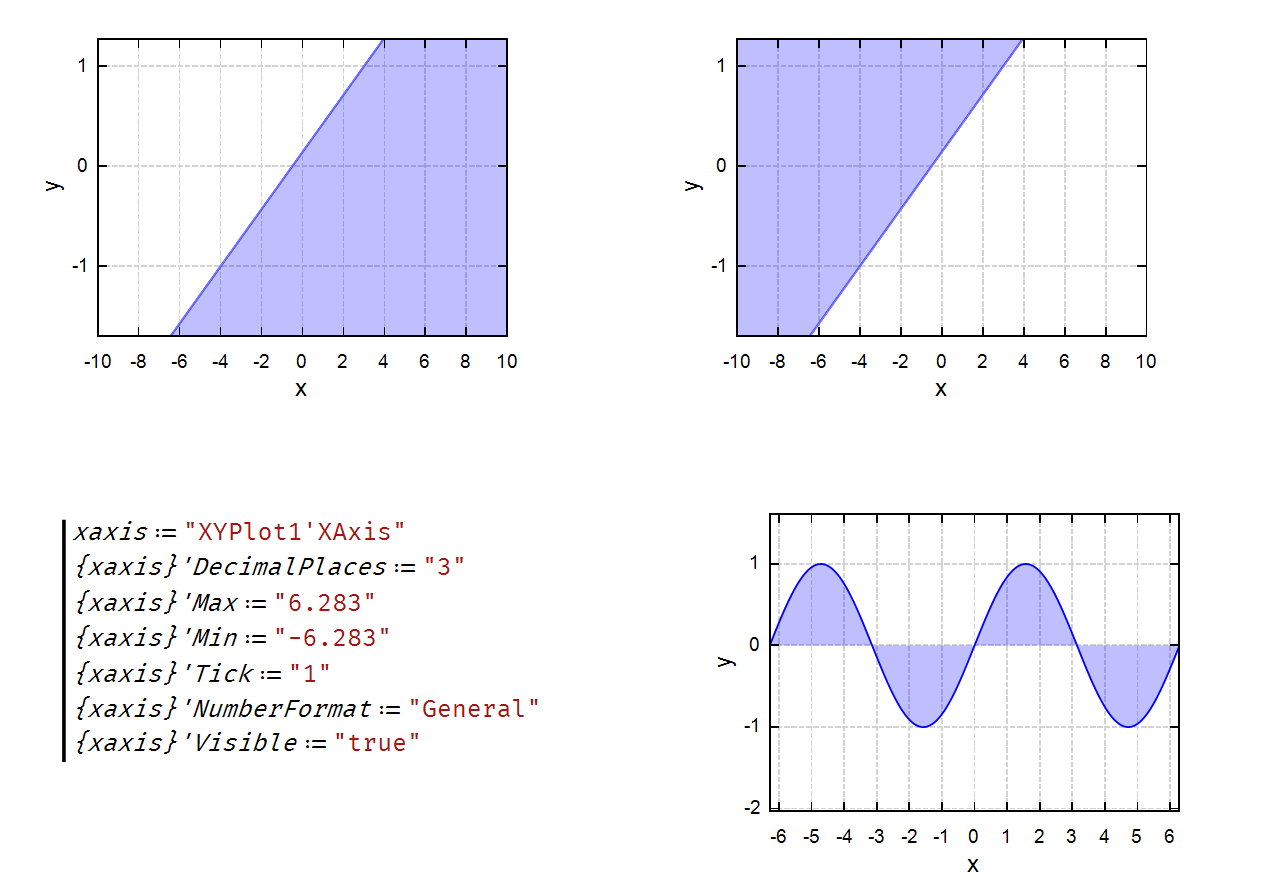
WroteSome manipulations...
Gracias Oscar! Very clever solutions, especially the half plane one.
Best regards.
Alvaro.
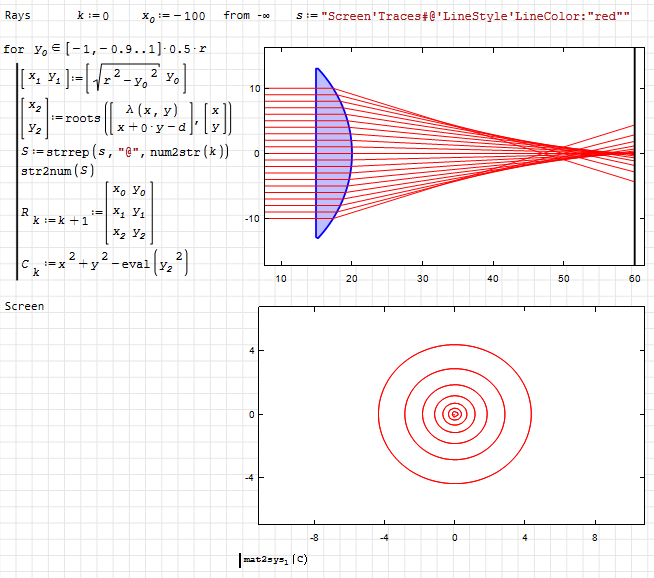
WroteSomehow I don't manage to produce the traces settings in a loop.
This needs to be done differently. Alvaro showed a working version somewhere here. You need to include the assignment sign in the string and then transform the text expression in a cycle. The thing is that substitution in curly brackets is not a native operation, but a feature of the component. Therefore, the substitution will not occur this way; you need to form the full expression in the text representation.
spherical aberration.sm (26.41 KiB)已下载 1974 次。
WroteSomehow I don't manage to produce the traces settings in a loop.
An example...
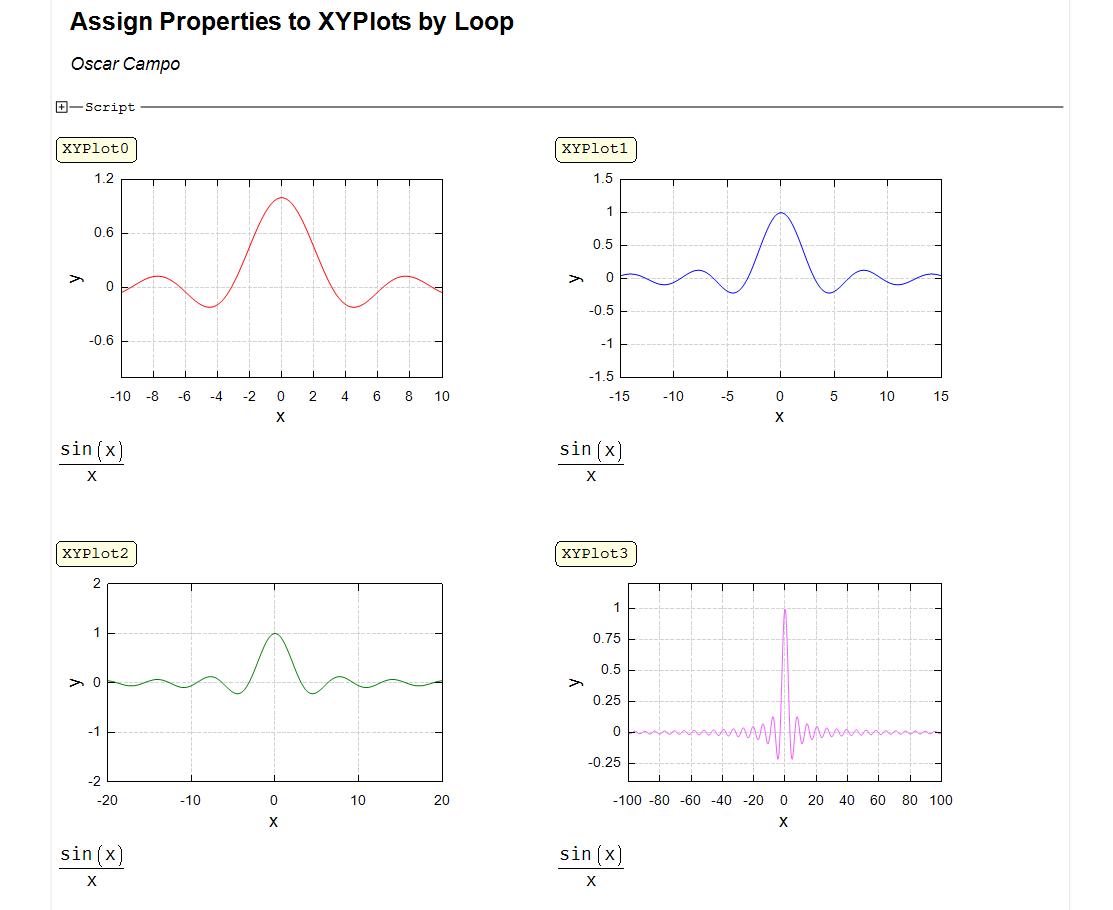
Assign Properties by Loop.sm (19.05 KiB)已下载 1730 次。
Best,
Oscar
WroteHi. How to fill a half plane and a half wave?
I might try adding behavior for endpoints when filling paths. Right now the default behavior is to just close the endpoints, but that behavior could be changed. For that, I'd need to iterate over all possible use cases.
WroteWroteHi. How to fill a half plane and a half wave?
I might try adding behavior for endpoints when filling paths. Right now the default behavior is to just close the endpoints, but that behavior could be changed. For that, I'd need to iterate over all possible use cases.
In Maxima draw, there is an option filled_function, which allows to specify a second function which defines the other side of the fill. Simply saying 0 fills to the axis, some big value fills to the boundary (top or bottom). This is much like in the hatch snippet, where 2 functions are specified.
In X-Y plot you could take a second function of the same variable in a row or in a list (just like with parametric functions, just with undefined dummy variable or you could say "to next", referring to the next trace, other options could be "to x", "to y", "to top" "close along border" etc.
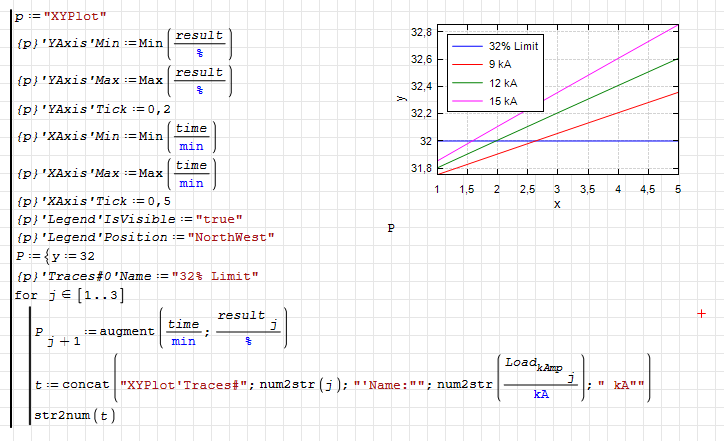
NaOH_Demiwater_VECTOR_Kr.sm (197.5 KiB)已下载 1833 次。
Wrote... In Maxima draw, there is an option filled_function, which allows to specify a second function which defines the other side of the fill. Simply saying 0 fills to the axis, some big value fills to the boundary (top or bottom). This is much like in the hatch snippet, where 2 functions are specified.
Thanks Martin! It works fine.
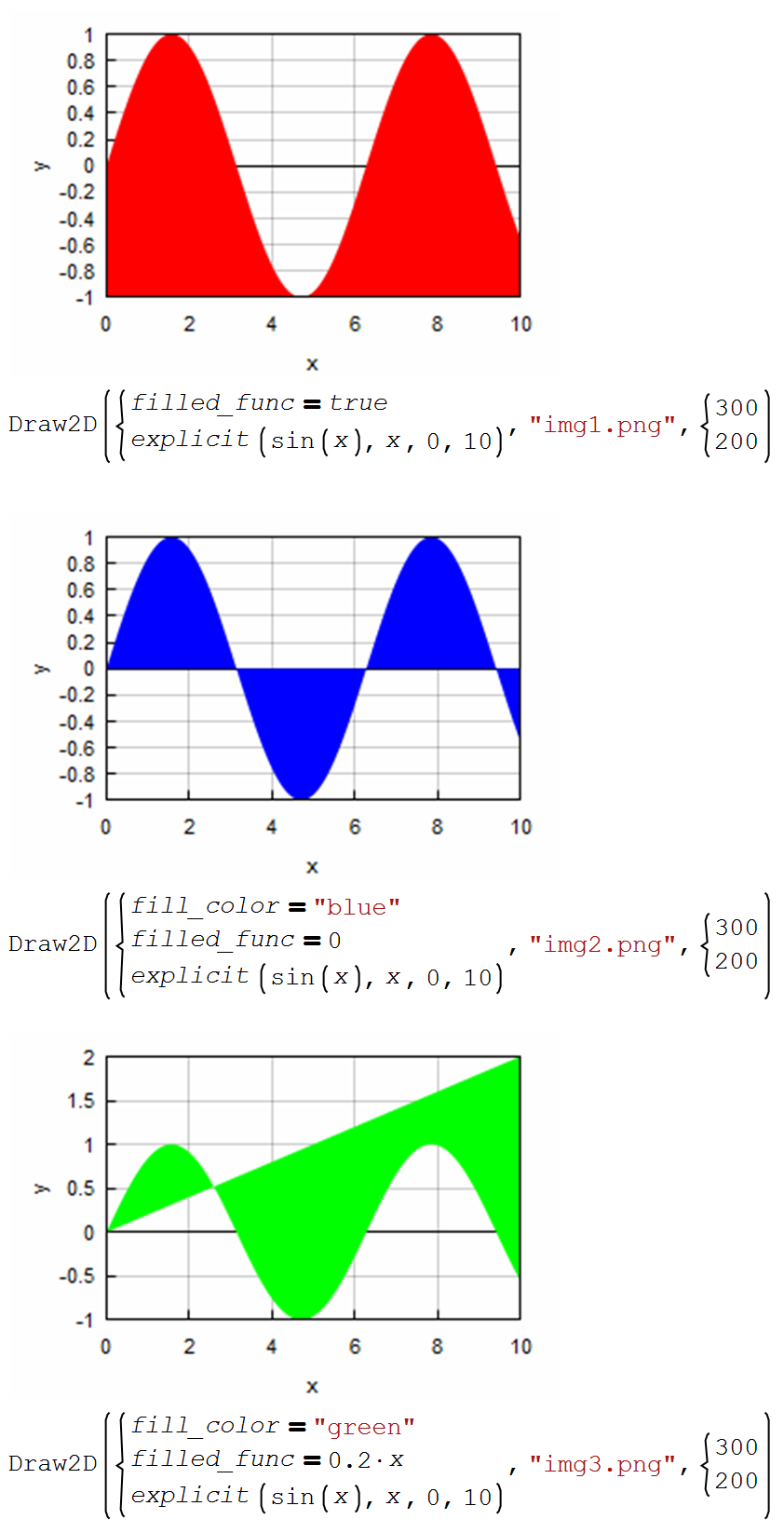
draw2d-filled.sm (29.13 KiB)已下载 1729 次。
Wrote... In X-Y plot you could take a second function of the same variable in a row or in a list (just like with parametric functions, just with undefined dummy variable or you could say "to next", referring to the next trace, other options could be "to x", "to y", "to top" "close along border" etc.
I don't know how to do that.
Best regards.
Alvaro.
Wrote
Wrote... In X-Y plot you could take a second function of the same variable in a row or in a list (just like with parametric functions, just with undefined dummy variable or you could say "to next", referring to the next trace, other options could be "to x", "to y", "to top" "close along border" etc.
I don't know how to do that.
Best regards.
Alvaro.
That was just a proposal as to what control options I'd find useful.
Wrote... That was just a proposal as to what control options I'd find useful.
Thanks Martin. I found it very useful too, and I thought it was already a reality. Although I think my reading comprehension was not at its best level.
Best regards.
Alvaro.
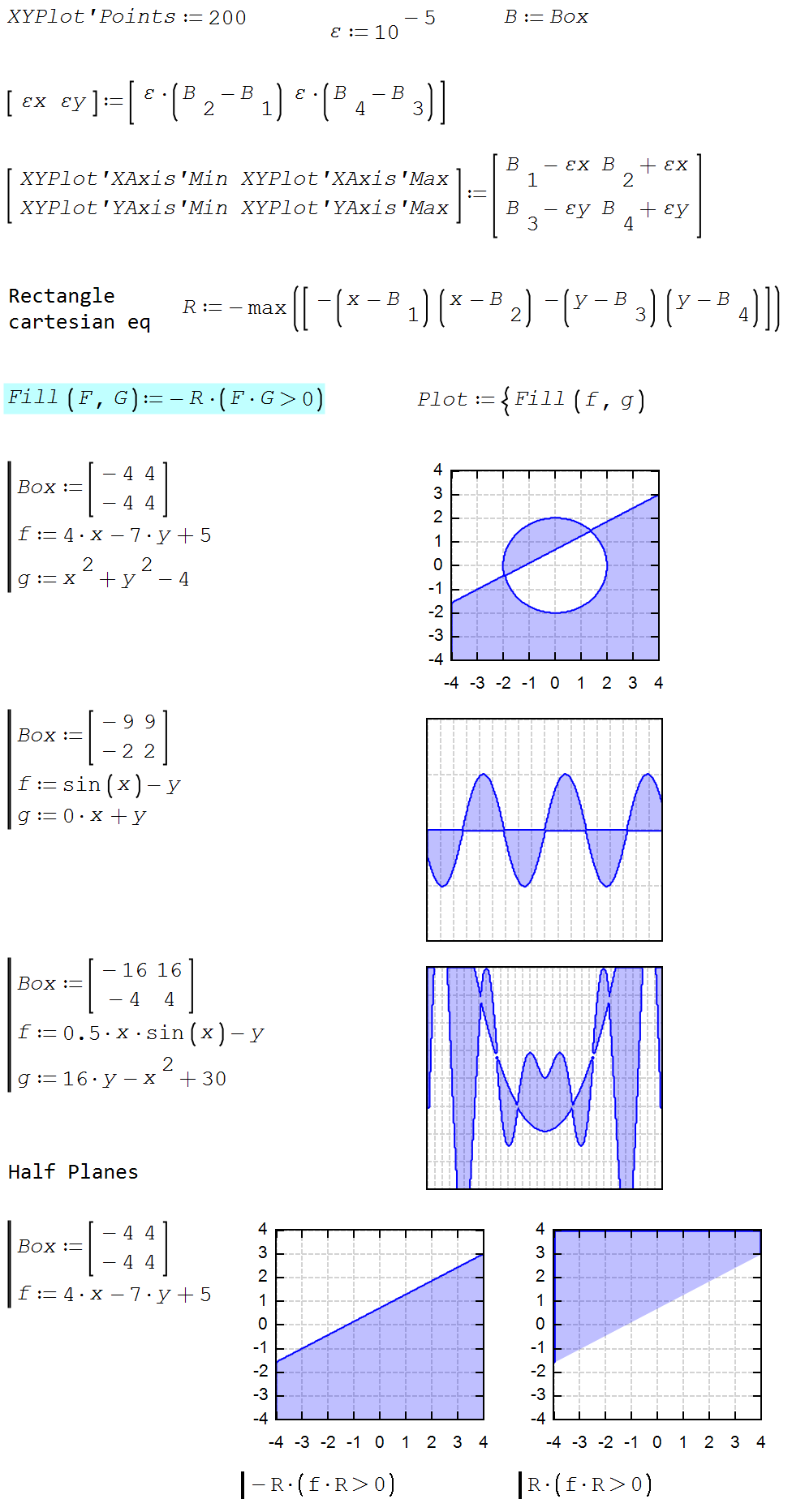
XYFilling.sm (24.18 KiB)已下载 1714 次。
Best regards.
Alvaro.
- 有新帖
- 无新帖